
Quote check
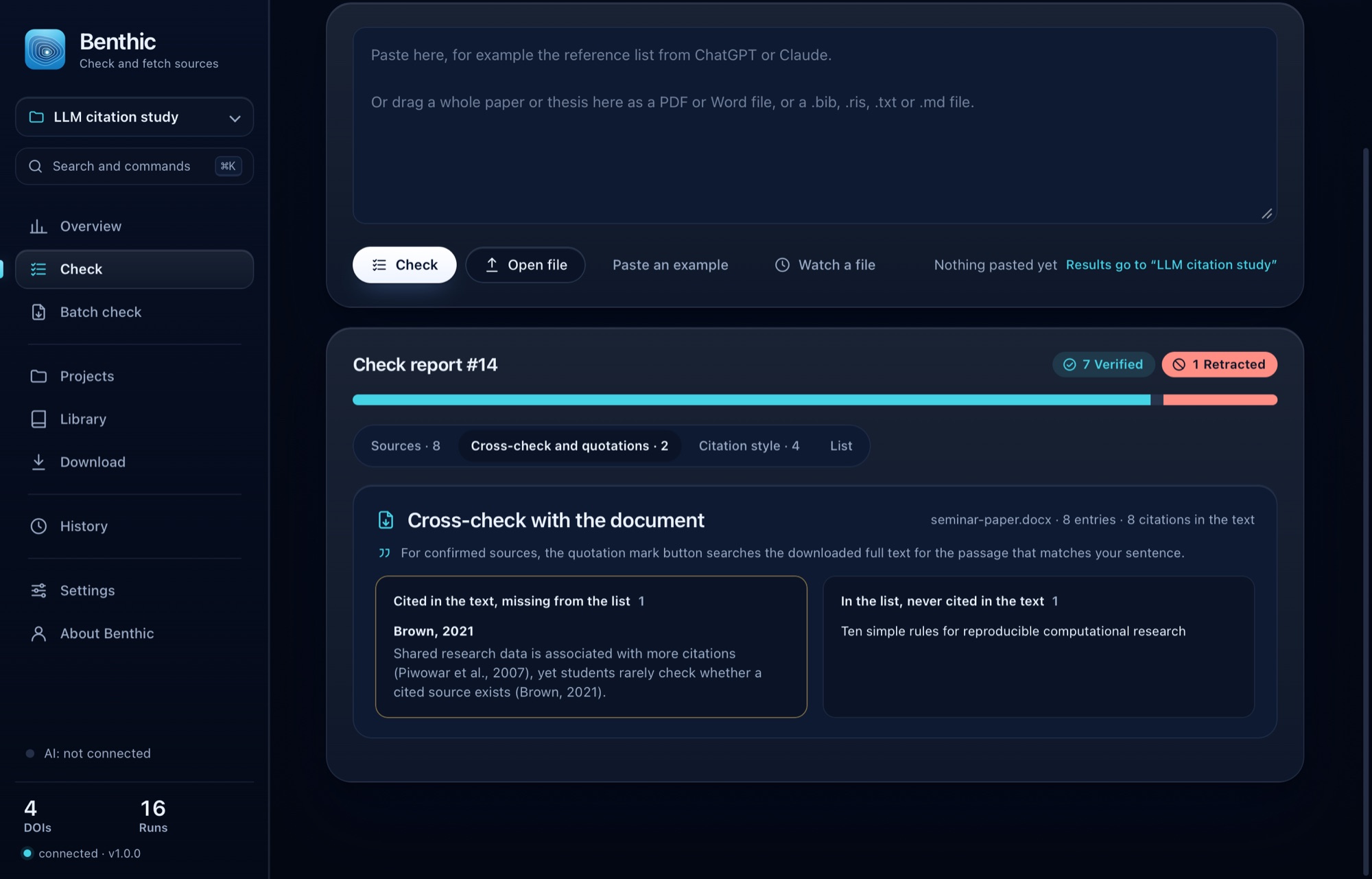
Every direct quotation in your thesis is looked up word for word in the downloaded full text of its source. You see whether it is there, where the wording differs and whether the cited page is right.
Language models produce reading lists in seconds. Some entries are invented, some are attributed to the wrong paper, some were retracted long ago. Benthic checks every reference, rates the list as a whole and fetches the real papers from open-access sources.
Version 1.0.0 · macOS 13 or later · Apple Silicon and Intel
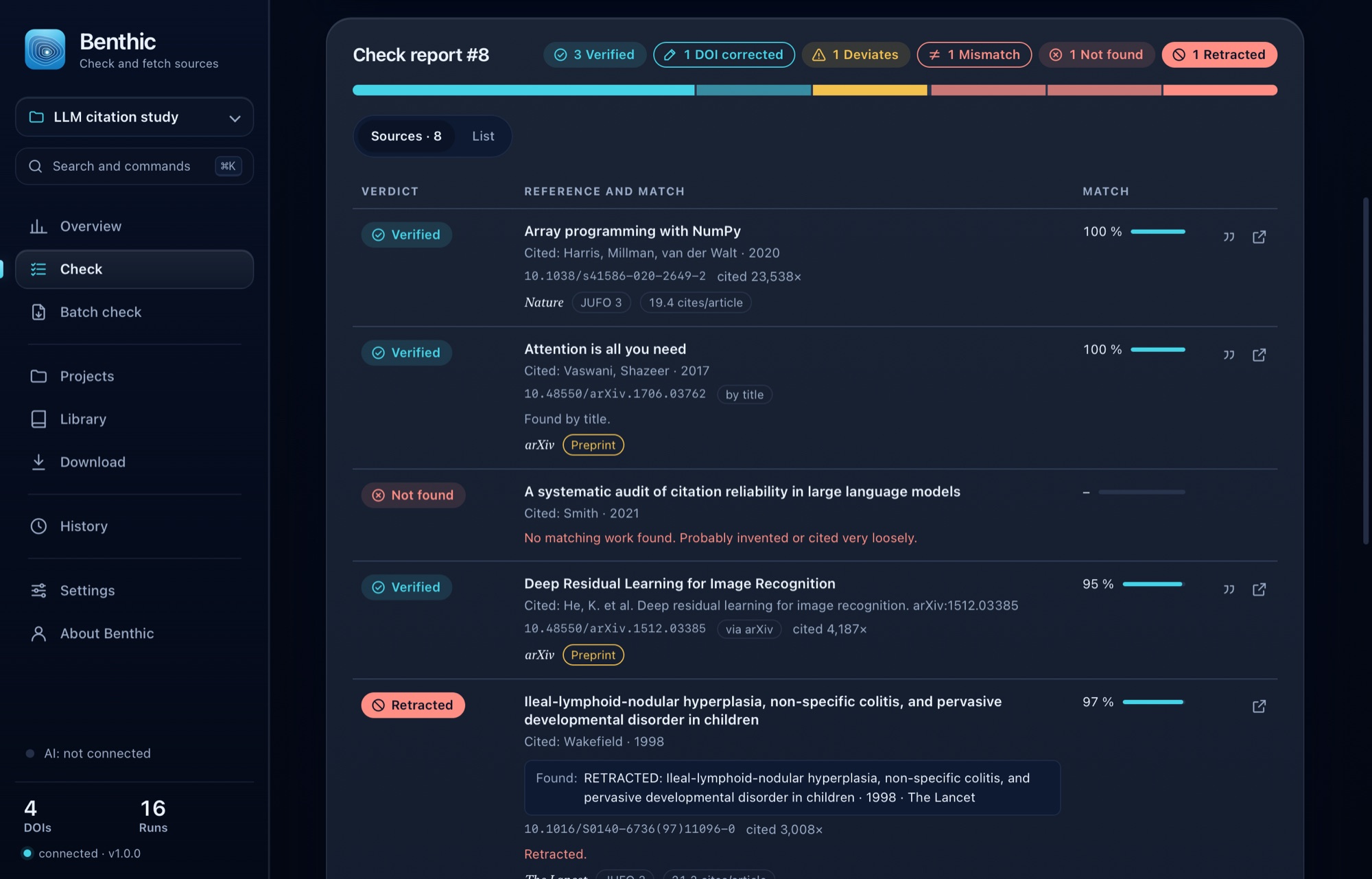
Example: reading list from a chat answer, 6 references
Harris, C. R. et al. (2020). Array programming with NumPy. Nature.
10.1038/s41586-020-2649-2
PDF fetched · publisher version · OpenAlex
Smith, J. (2021). A systematic audit of citation reliability in large language models.
No matching work found. Probably invented.
LeCun, Y., Bengio, Y. & Hinton, G. (2015). Deep learning. Nature.
10.1038/nature14538 → 10.1038/nature14539
No free full text known · open through your university
Wakefield, A. J. et al. (1998). Ileal-lymphoid-nodular hyperplasia, non-specific colitis, and pervasive developmental disorder in children. The Lancet.
The article was retracted. Do not cite.
Vaswani, A. et al. (2017). Attention is all you need.
10.48550/arXiv.1706.03762 · found by title
PDF fetched · preprint · arXiv
Smith, J. (2019). Deep learning for protein folding at scale. Science.
The DOI belongs to a different article: “Cell Proliferation Without Neurogenesis in Adult Primate Neocortex”.
3 real · 1 invented · 1 misattributed · 1 retracted
Checks against CrossrefOpenAlexSemantic ScholararXivRetraction WatchOpen Library
Benthic also checks what you quote from your sources, reads LaTeX and, for lecturers, checks a whole folder of submissions.
Every direct quotation in your thesis is looked up word for word in the downloaded full text of its source. You see whether it is there, where the wording differs and whether the cited page is right.
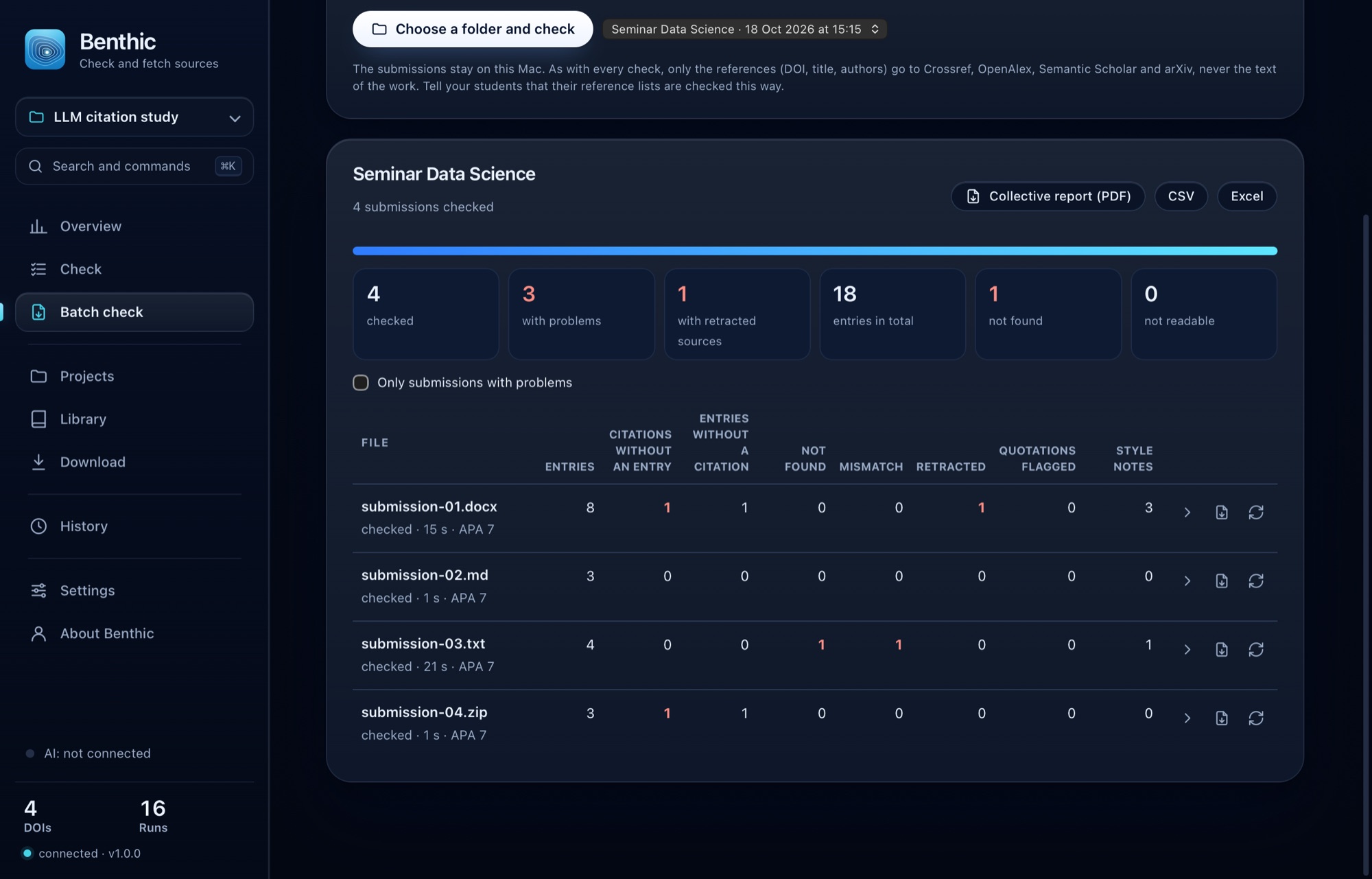
Lecturers check a folder of submissions at once: one row and one report per submission, export as CSV or Excel. The submissions stay on the Mac.
A .tex file with its .bib, or the whole project as a .zip: keys missing from the .bib, entries never cited, and every cited entry verified.
When a preprint you cite has since appeared in a journal or conference, Benthic gives you the published version to copy.
German thesis, English source: Benthic translates your sentence on your Mac before it looks for the passage (macOS 15 or later).
Works that your sources cite again and again but that are not in your list.
Benthic rechecks your thesis every time you save it and tells you about new problems.
Save any check report, with quotations, published versions and style notes, as a PDF.
Benthic compares title, authors and year with Crossref, OpenAlex, Semantic Scholar, arXiv, Open Library and doi.org. For every source you see what holds and what does not.
Four steps you would otherwise do by hand: look up every reference, check for retractions, find a freely available PDF and file everything properly.
Whole chat answers, reading lists, BibTeX, RIS or DOI lists, or your whole thesis as PDF, Word or LaTeX. Paste them, open a file, drop it on the window or send it from any app through the Services menu. References without a DOI are found by title.
Every reference gets one of the seven verdicts. Benthic recognises retracted articles from the Crossref and OpenAlex metadata. With a whole thesis it also compares the bibliography with the citations in the text and checks the citation style and the direct quotations.
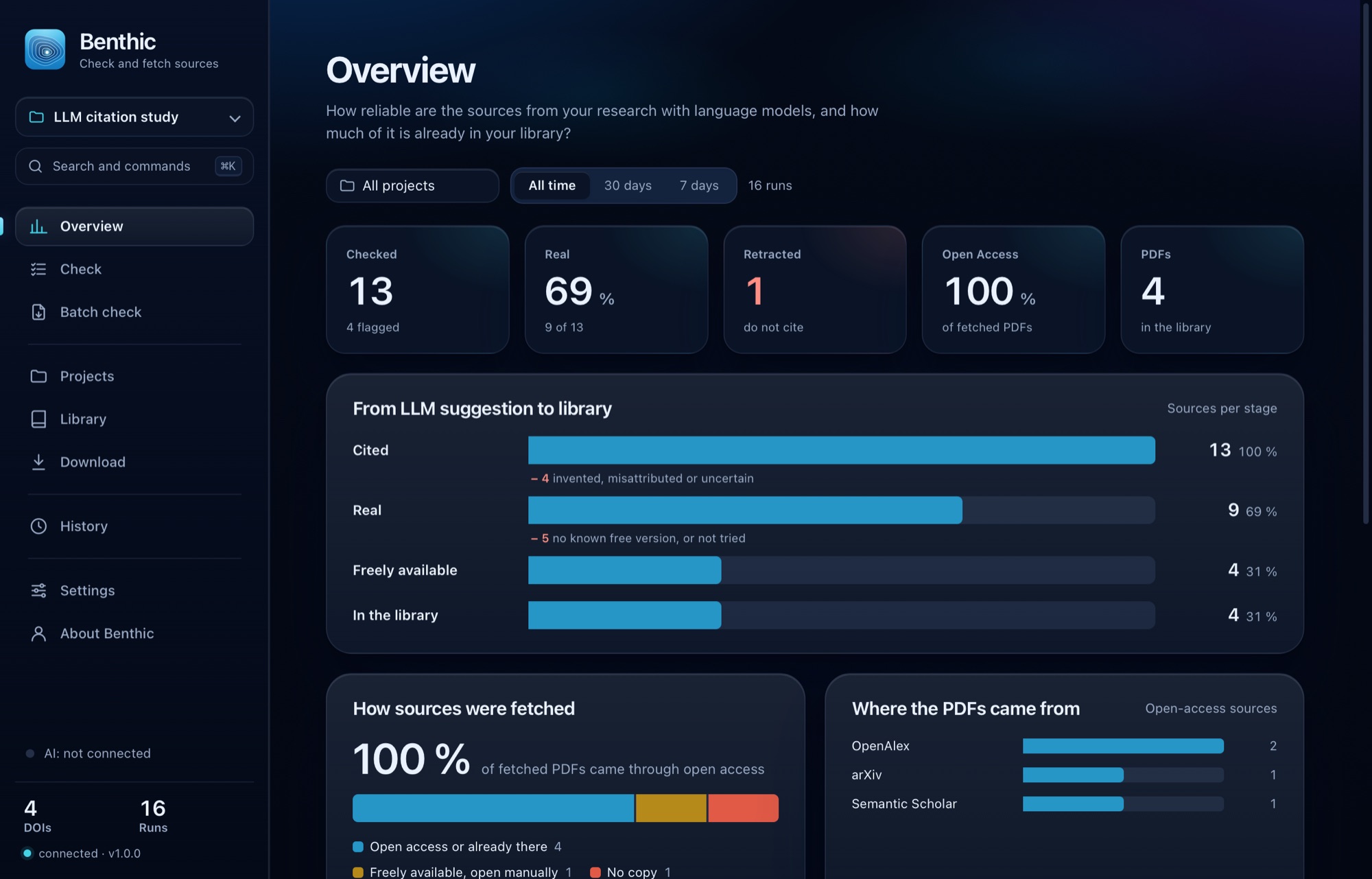
Your own library first, then eight open-access sources in a fixed order. Benthic shows which version it found: preprint, accepted manuscript or publisher version.
Projects per research question with a daily retraction watch, a bibliography in every common citation style, export as BibTeX, RIS, CSV or Excel, and straight into Zotero.
The route to every PDF, in this order:
What you already have, Benthic does not fetch again.
Only full texts that publishers, repositories or authors make freely available themselves.
No free full text? Benthic opens the article through your university's access or drafts a request to the authors.
This is Benthic, in light, dark or automatic like your Mac, in English or German.
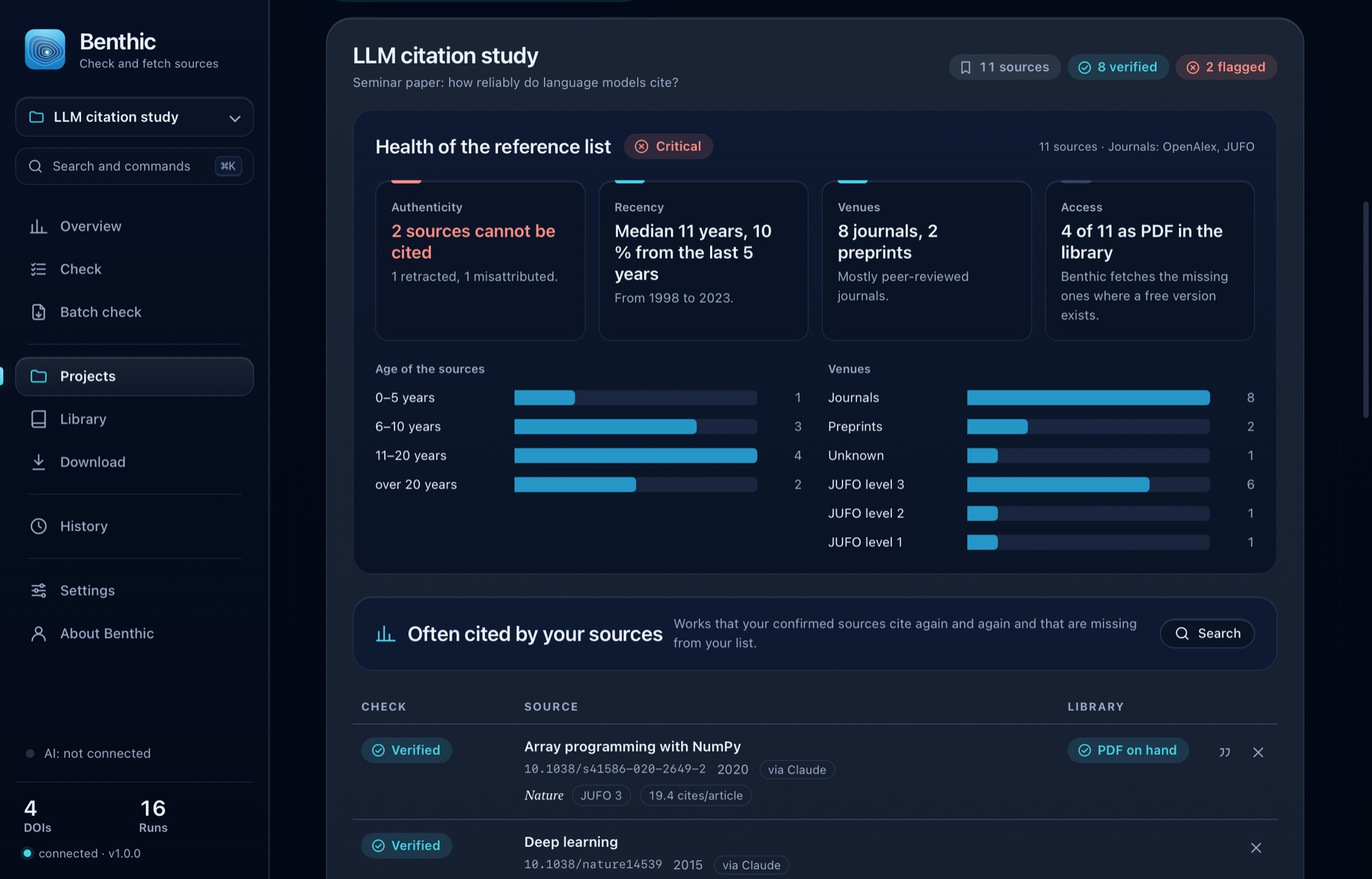
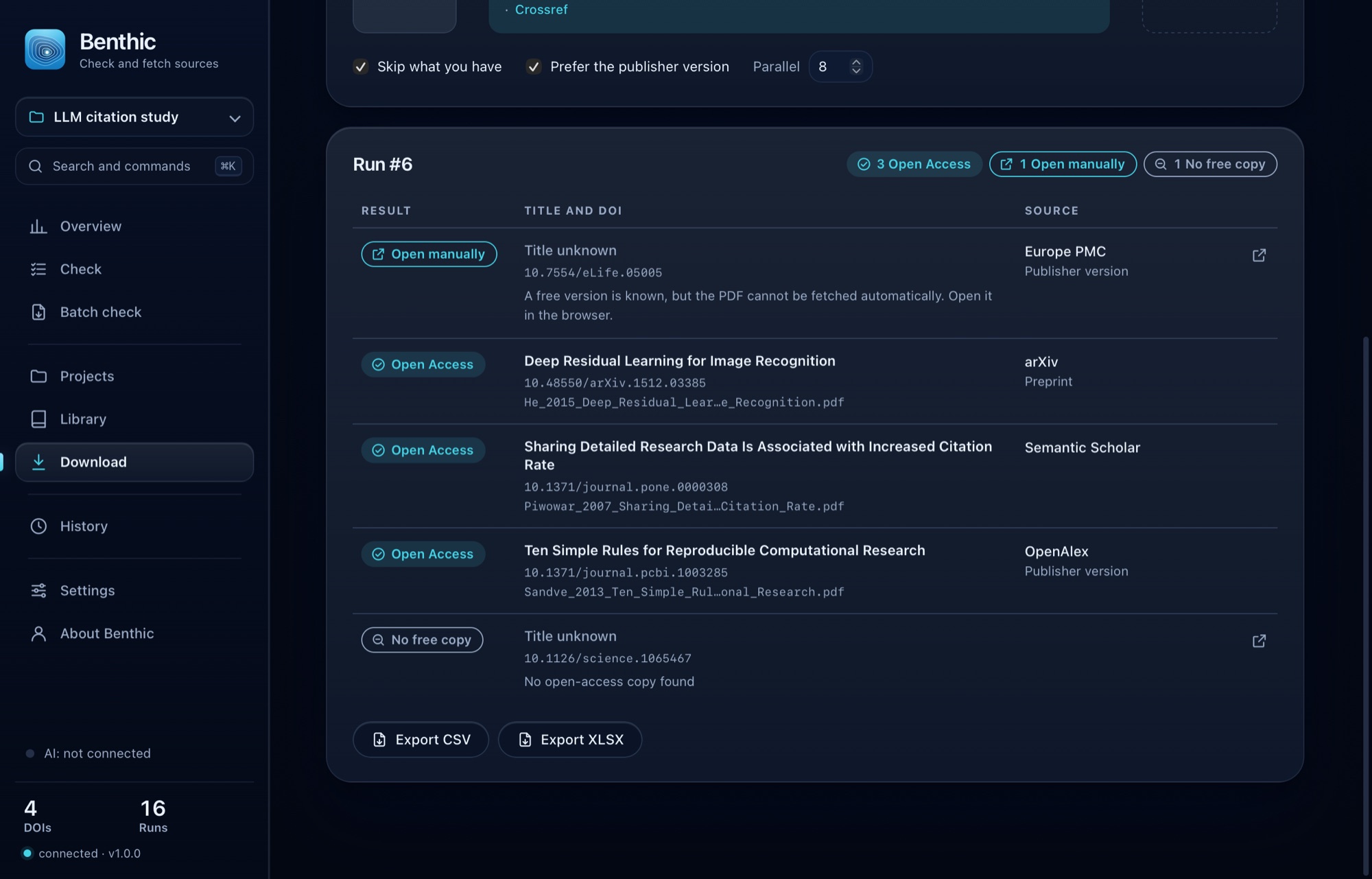
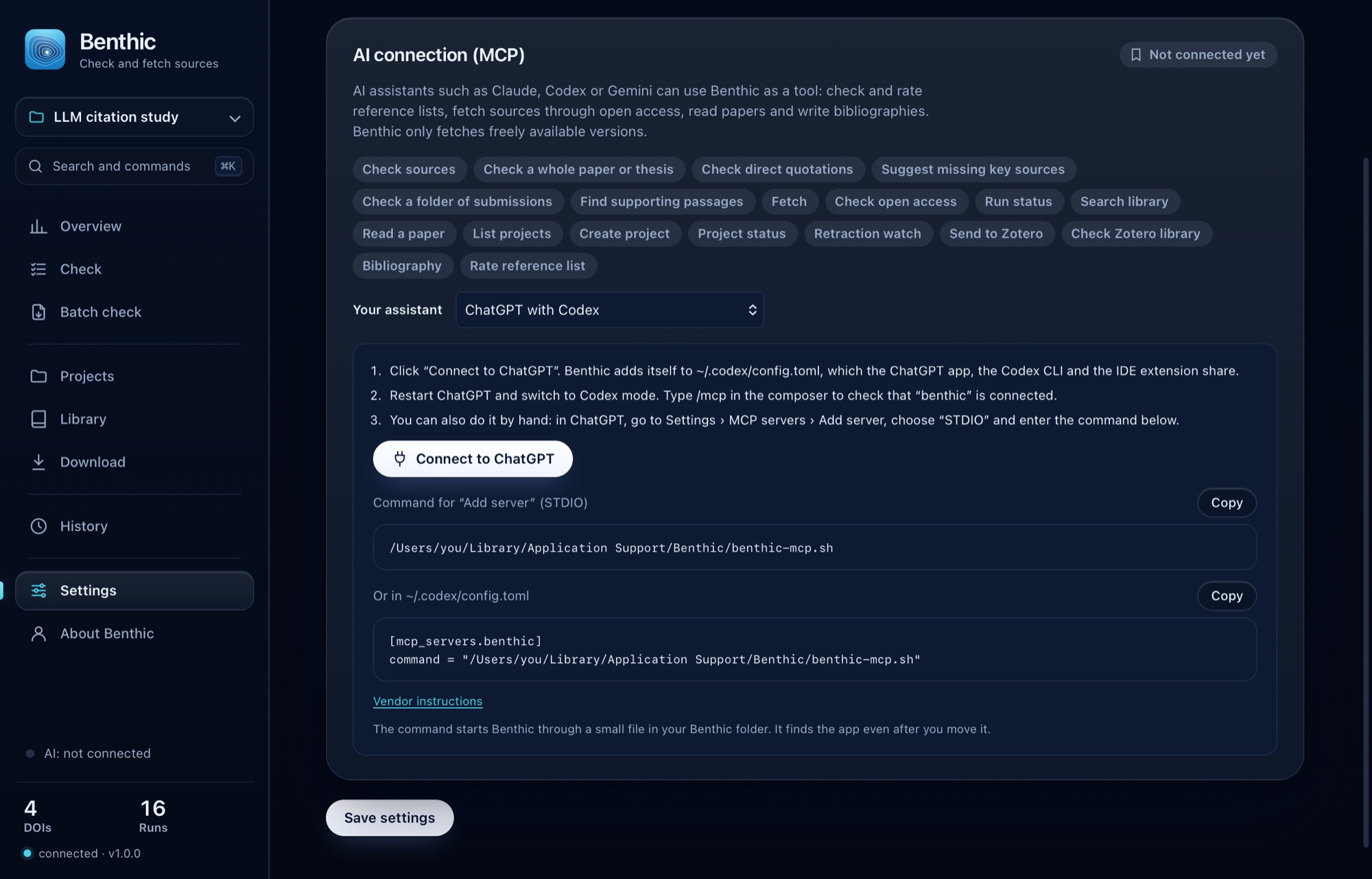
Benthic ships with an MCP server. With it, AI assistants can check reading lists, whole theses and direct quotations, rate lists, fetch papers through open access, read full texts, find supporting passages and write bibliographies, right into your Zotero collection. You watch every run live in the app.
One click from the app: Claude Desktop, ChatGPT with Codex, Antigravity and Gemini CLI; Cursor, VS Code and LM Studio open their own dialog. Claude Code, Codex and Gemini CLI can also install Benthic themselves, with one command. Chats in the browser cannot start tools on your Mac; paste their answers into Benthic instead.
Example in Claude Desktop
Check the sources from your last answer and put the real ones into my project “Seminar paper”.
Two references from my answer cannot be confirmed, so I removed them. Wakefield et al. (1998) was retracted and should not be cited. The three real sources are now in your project.
Library, projects and PDFs live in your Documents folder. Benthic runs entirely on your computer.
The sources learn the DOI, title and authors of the references you check. Unpaywall also gets the e-mail address it requires for requests. For journal levels, Benthic asks the Finnish JUFO list by ISSN. The retraction watch sends the DOIs of your project sources to Crossref and OpenAlex once a day.
Benthic keeps no record of what you do. Its only connection to this website is the update check, which fetches a small file without any identifier. The website itself measures visits only if you agree.
No. Benthic only fetches full texts that publishers, repositories or authors make freely available themselves, through the official interfaces of those services. For everything else, Benthic opens access through your university library.
From OpenAlex (citations per article over the last two years, h-index, DOAJ) and the Finnish JUFO list (levels 0 to 3). Ranking lists such as VHB-JOURQUAL, ABDC or AJG you download from their publishers and import into Benthic. Benthic ships no lists, because their publishers control how they are shared.
If Benthic finds no matching work in Crossref, OpenAlex, Semantic Scholar, arXiv or Open Library, by DOI or by title and authors, the verdict is “Not found”. That is a strong signal, though no proof: very recent or obscure works are sometimes missing from these registries.
No. Unpaywall asks for an e-mail address, which Benthic sends with its requests. For CORE and Elsevier you can add your own keys if you have them; without them, Benthic asks the other sources. A free OpenAlex key is still worth having: without one, every network shares a small daily budget that large lists use up quickly.
You can paste the answer of any language model. As a tool, Benthic runs through MCP in Claude Desktop, ChatGPT with Codex, Antigravity, Claude Code, Codex CLI, Gemini CLI, Grok Build, Cursor, VS Code and LM Studio. Most connect in one click from the app; Claude Code, Codex and Gemini CLI can also install Benthic themselves, with one command.
Yes. Under Batch check you choose a folder of submissions as PDF, Word or LaTeX. Benthic checks each one, shows a row per submission with its flagged sources and a report you can save as a PDF; the whole overview exports as CSV or Excel. The submissions stay on your Mac; only the DOI, title and authors of the references leave it.
Yes, both ways. From a check report or a project you send confirmed sources to the collection open in Zotero. Under Library, Benthic checks your whole Zotero library for retracted and corrected papers; it reads a copy of the database and changes nothing in Zotero.
Select the text and choose Services › “Check References with Benthic” from the context menu. In the browser, a bookmark works too: drag it from the download page to your bookmarks bar. Benthic opens and checks the text right away.
English and German. You pick the language on first launch and can switch it at any time in Settings. Menus, exports and the messages your AI assistant sees follow the choice.
A free version is known, but the website does not allow an automatic download. Benthic then opens the article in your browser so you can save it yourself.
Benthic checks for a new version at launch and shows it at the top of the window. One click on “Update now” is enough: Benthic downloads the new version, checks it, replaces itself and restarts, with no new approval. What changed is in the release notes.
Apple only notarises apps whose developers pay for its developer programme. Benthic is free and does without it, so macOS blocks the first launch. You allow Benthic once: in System Settings, under Privacy & Security, click “Open Anyway”. You can check the source code on GitHub, and the checksum of every version is on the download page.
The roadmap lists every request, sorted by votes. Each request is a public issue on GitHub: vote there with 👍 or 👎, comment, or submit your own with a short form. You need a free GitHub account for that.
Sinan Isoglu develops and maintains Benthic as a free tool. More tools and writing are on isoglu.com.
Yes. Benthic is open source (AGPL-3.0 licence) and developed in public on GitHub. Bugs and requests are welcome there as issues.
Version 1.0.0 · macOS 13 or later · Apple Silicon and Intel
The source code is on GitHub under the AGPL-3.0 licence. Bugs and requests are welcome there as issues.
Sinan Isoglu, developer of Benthic
View the source code